
What is Twilio?
Your business connection.
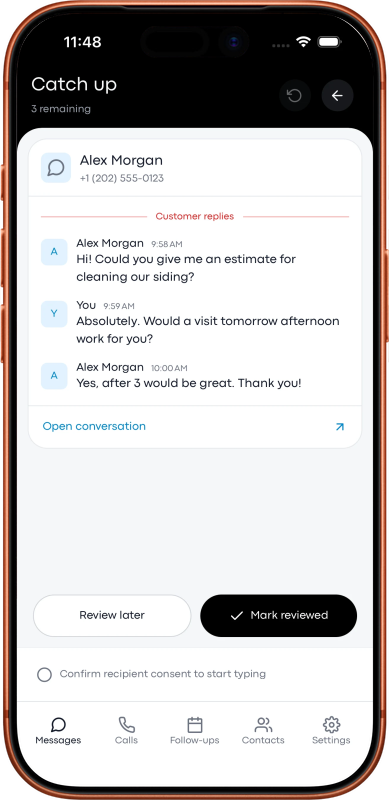
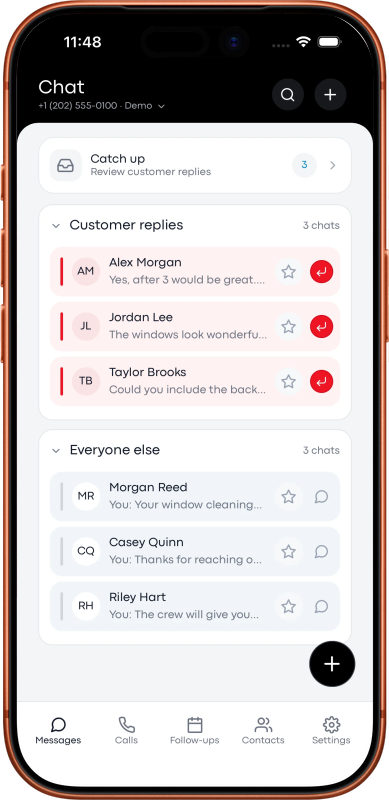
Twilio supplies the phone numbers and communications service. Crew to Voice gives you a place to use them for everyday business conversations.
A guide to the current Lead to Crew Voice connection.
The phone service behind the dashboard.
Twilio is a communications platform that lets software work with calls, messages, and phone numbers. Crew to Voice connects to your Twilio account so you can call and text from your business number through the Voice dashboard.
You keep your own Twilio account and buy or manage your numbers there. Voice works on its own; you do not need a separate CRM subscription or an organization, customer, or job record to begin.
Explore Twilio Programmable VoiceTwo services. Clear responsibilities.
Crew to Voice
The dashboard for calls, texts, available recordings, saved replies, and manual follow-ups. Lead to Crew handles your Voice subscription and product support.
Your Twilio account
Your business numbers, calling and messaging usage, provider history, media, and recordings. You manage balance, number capabilities, registrations, and provider retention in Twilio.
You and your business
Choose the right numbers, maintain the connection, confirm recipient permission, honor opt-outs, and obtain required recording consent.
Connect once. Choose your business line.
- Create and fund your Twilio account, then choose a number with the calling or messaging capabilities you need.
- Open Voice setup and enter your Account SID and Auth Token in Simple setup. It creates a dedicated standard API key and browser-calling application for Voice.
- Save your business number and your everyday phone number with the correct country. Test a call and, if you use messaging, an agreed test text and reply.
An API key lets software authenticate requests to Twilio. Twilio supports separate keys that you can manage and revoke. Advanced setup supports a dedicated restricted key for the required permissions. Your Auth Token remains sensitive even when you use a restricted key.
Voice’s documented manual setup uses the US1 API region. That region is separate from the country of your phone number.
How a call reaches your customer.
- Select your business number and the person you want to call.
- Voice rings your saved everyday phone. Answer and press 1.
- Twilio connects the customer. They see the business number you selected.
This phone bridge has two call legs: the call to you and the call to the customer. Twilio charges for both. Your mobile provider may also charge for receiving calls or roaming, depending on your plan.
The standard outgoing phone-bridge flow does not replace your existing incoming-call forwarding, greeting, or voicemail setup.
Or use your browser and headset.
With browser calling enabled, choose Use browser & headset and allow microphone access. Your everyday phone does not ring, and there is no press-1 step. Keep the Voice page open and connected for the call.
You can temporarily receive incoming calls in the browser for one hour, four hours, or until turned off. This temporarily changes the number’s incoming Voice route. Unanswered browser calls fall back to the saved normal flow after about 10 seconds; an offline browser may take about a minute to be detected.
Turning the feature off restores the saved settings unless they were changed elsewhere. SIP-trunk numbers or numbers without a normal webhook need separate setup. Text routing is unchanged.
Browser recording is currently off, and a browser call is limited to one hour. Twilio usage still applies to the browser audio connection and customer call.
Read the browser-calling guideTexts use the same business identity.
Select a messaging-capable business number, open a conversation, confirm recipient consent, and send. Refresh the conversation to retrieve new incoming messages. Available incoming photos can be opened for a larger view.
Your number may need messaging registration or verification in Twilio. A queued or sent status is not proof that a message reached the recipient. Check the provider’s delivery details when troubleshooting.
Know which bill covers what.
Voice costs $7 per month or $59 per year in U.S. dollars. Twilio charges separately for numbers, calls, messages, recordings, carrier fees, and other usage. Actual rates depend on the services, destinations, and number types you use.
Check your country and number.
Voice accepts United States, Canadian, and Australian numbers. Canada and Australia are pilots pending real-carrier testing. Verify number capabilities, country permissions, and required registration before relying on service.
Enable the required Voice geographic permissions for both your bridge phone and customer destinations. Messaging permissions are separate. Trial restrictions and an unfunded account can prevent calls or texts.
Country setup and test checklistUnderstand where the conversation lives.
Twilio holds provider call and message history, media, and recordings under your account settings. Voice stores the account and operational information described in its billing policy, including encrypted connection credentials. Canceling Voice does not delete Twilio data or close your Twilio account.
Explore data privacy and protection